
It is important to us that everybody can access accurate health information. That's why we have the ReachDeck toolbar on our website to provide speech, reading, and translation support tools.
As well as being able to listen to our content, remove distractions or add a screen tint with a reading pane for help with focus, visitors can translate our web pages into over 100 languages.
If you struggle with reading, have a visual impairment, or prefer to read in your own language, the ReachDeck Toolbar can help.
How to use the toolbar
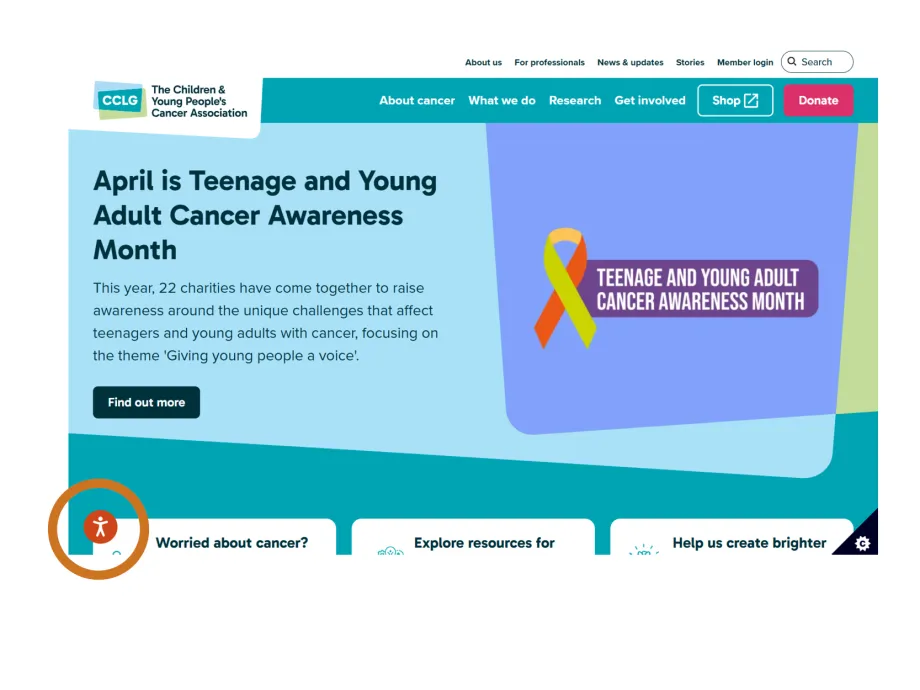
To try it out for yourself, click on the orange stickman icon in the bottom left hand corner of our website to launch the toolbar at the top of the page.
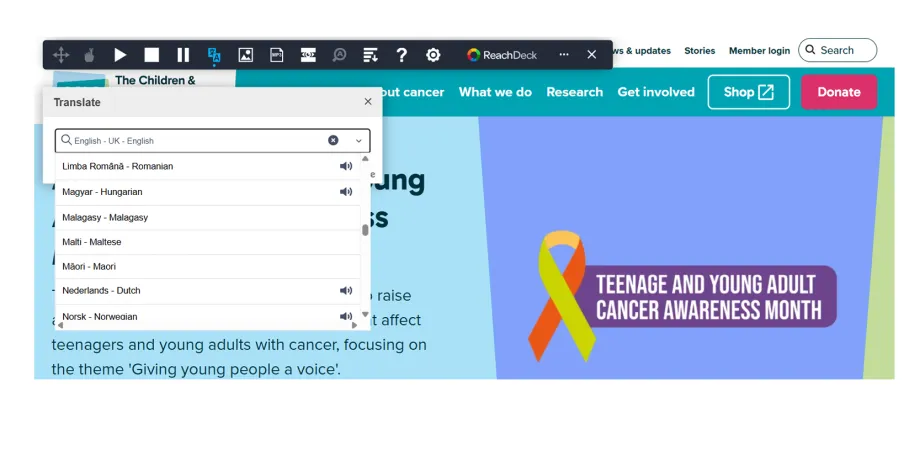
Translating into other languages
For translation, click on the translation tool to bring down a drop-down menu of languages to choose from. To use the toolbar with downloaded publications, make sure it is open before you download. Once the toolbar is open it will stay available on the page after you have downloaded the publication you want.
Please be aware that translation using the ReachDeck toolbar is machine generated so is not medically or culturally checked.

To hear text read out loud, simply click on the first icon and hover your mouse over any text. From a touchscreen device you’ll have to click on the text to hear it. Or, to apply a screen tint click on the eye icon. To explore more, click on the question mark (?) icon to discover what each feature on the toolbar does.
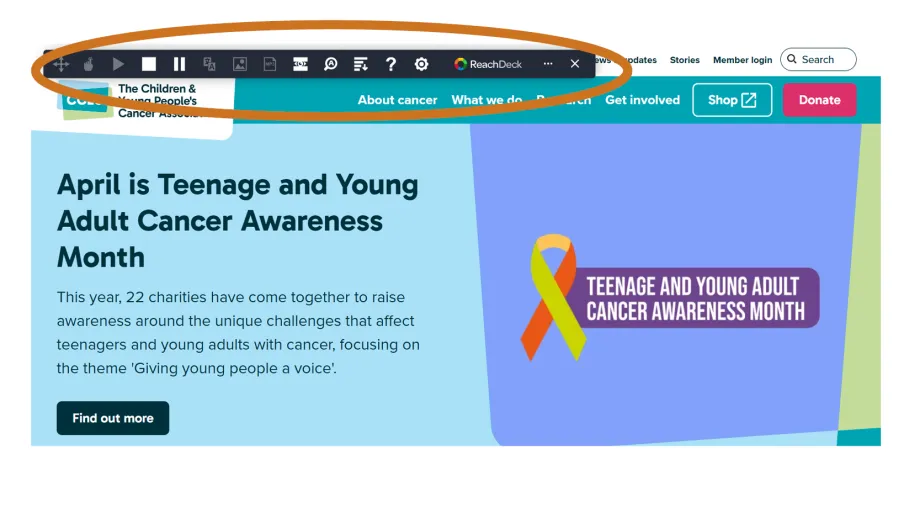
To hear about all of the features of the toolbar and how to use them watch the video below.